> ## Documentation Index
> Fetch the complete documentation index at: https://docs-staging-actions-triggers-prototype.mintlify.site/llms.txt
> Use this file to discover all available pages before exploring further.

# Configuration des connexions à la base de données

> Décrit comment configurer les connexions à la base de données pour les applications utilisant Auth0 Dashboard.

Vous pouvez établir des connexions à la base de données pour les applications utilisant <Tooltip href="/docs/fr-ca/glossary?term=auth0-dashboard" tip="Auth0 Dashboard
Principal produit d’Auth0 pour configurer vos services." cta="Voir le glossaire">Auth0 Dashboard</Tooltip>. Ces connexions configurées peuvent être utilisées pour se connecter à votre application. Pour configurer une connexion, suivez les étapes ci-dessous.

<Accordion title="1 Commencer à Auth0 Dashboard">
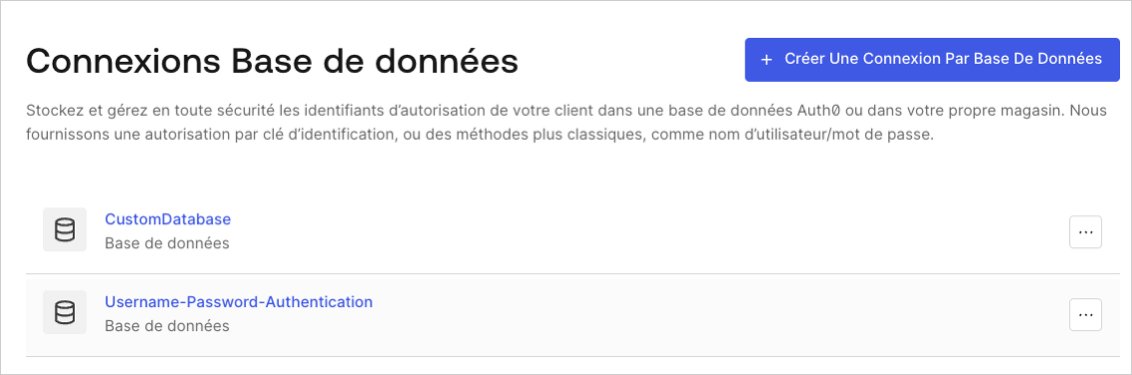
  Allez à [Tableau de bord Auth0 > Authentification > Base de données](http://manage.auth0.com/#/connections/database) et sélectionnez **Créer une connexion DB**.
  <Frame>
    <img src="https://mintcdn.com/docs-staging-actions-triggers-prototype/M5ybCzgwZXFYXV2k/docs/images/fr-ca/cdy7uua7fh8z/1Hf6ctA9xhsLOQO9IyG0VU/da4a28587afe9f08cad475093d81f40d/DB_Connections_-_FR.png?fit=max&auto=format&n=M5ybCzgwZXFYXV2k&q=85&s=fc213fca20ca00425a0e364be17bb4f5" alt="Tableau de bord - Authentification - Base de données - Liste des connexions de la base de données" width="1132" height="375" data-path="docs/images/fr-ca/cdy7uua7fh8z/1Hf6ctA9xhsLOQO9IyG0VU/da4a28587afe9f08cad475093d81f40d/DB_Connections_-_FR.png" />
  </Frame>
</Accordion>

<Accordion title="2 Nommer la connexion">
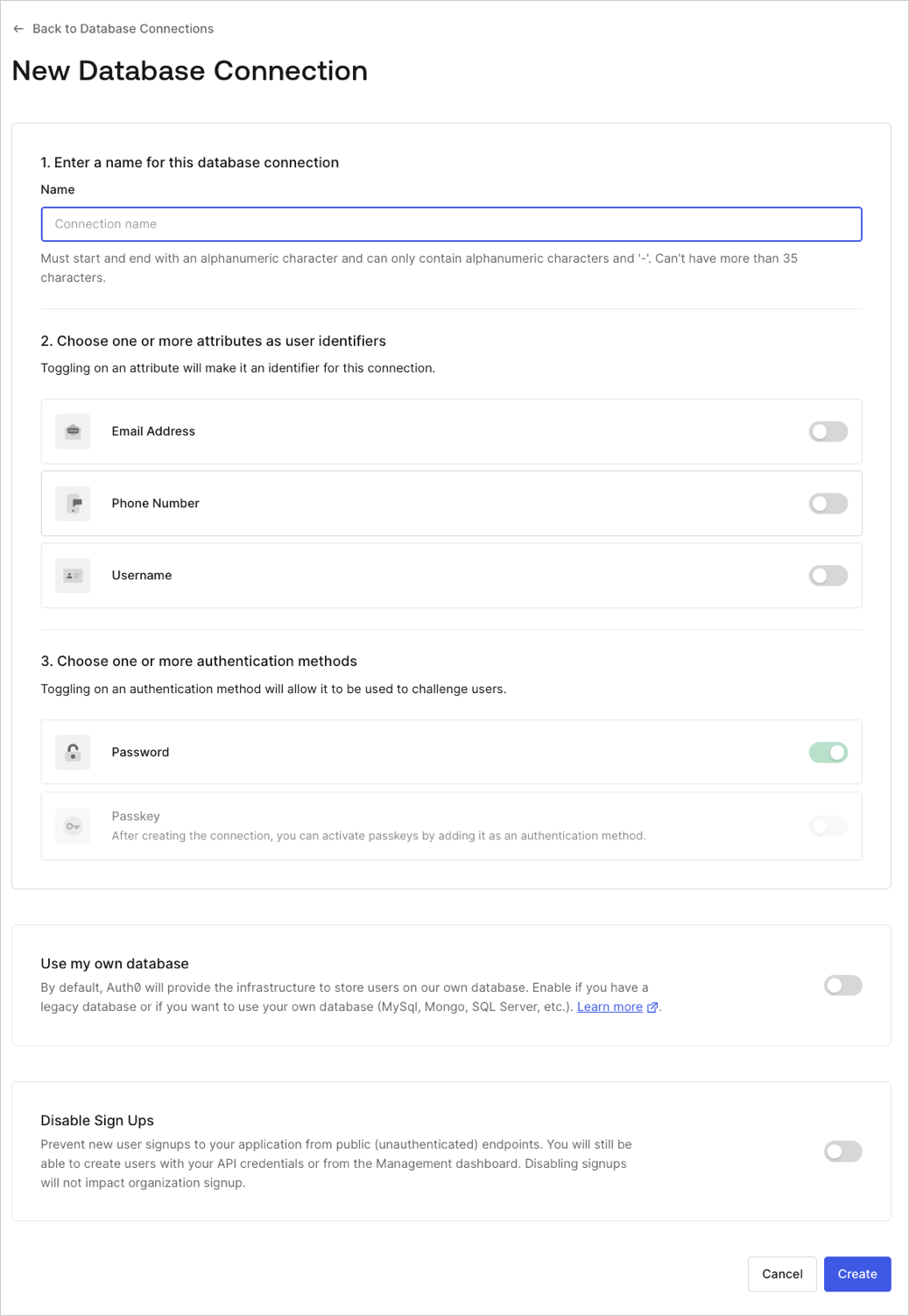
  Saisissez un nom pour votre connexion et sélectionnez **Créer**.
  <Frame>
    <img src="https://mintcdn.com/docs-staging-actions-triggers-prototype/iE4AgtxPSHgKpjkm/docs/images/fr-ca/cdy7uua7fh8z/224NpYTYh56bICfblpAJ6O/711d7fff6565d5dff7bde62ac5bf485a/Create_Database_Connections_-_English.png?fit=max&auto=format&n=iE4AgtxPSHgKpjkm&q=85&s=d62cc86c0c78be374ddeb1d2aa27fd8e" alt="Dashboard - Authentication - Database - New DB Connection" width="1038" height="1502" data-path="docs/images/fr-ca/cdy7uua7fh8z/224NpYTYh56bICfblpAJ6O/711d7fff6565d5dff7bde62ac5bf485a/Create_Database_Connections_-_English.png" />
  </Frame>
</Accordion>

<Accordion title="3 Activer la connexion">
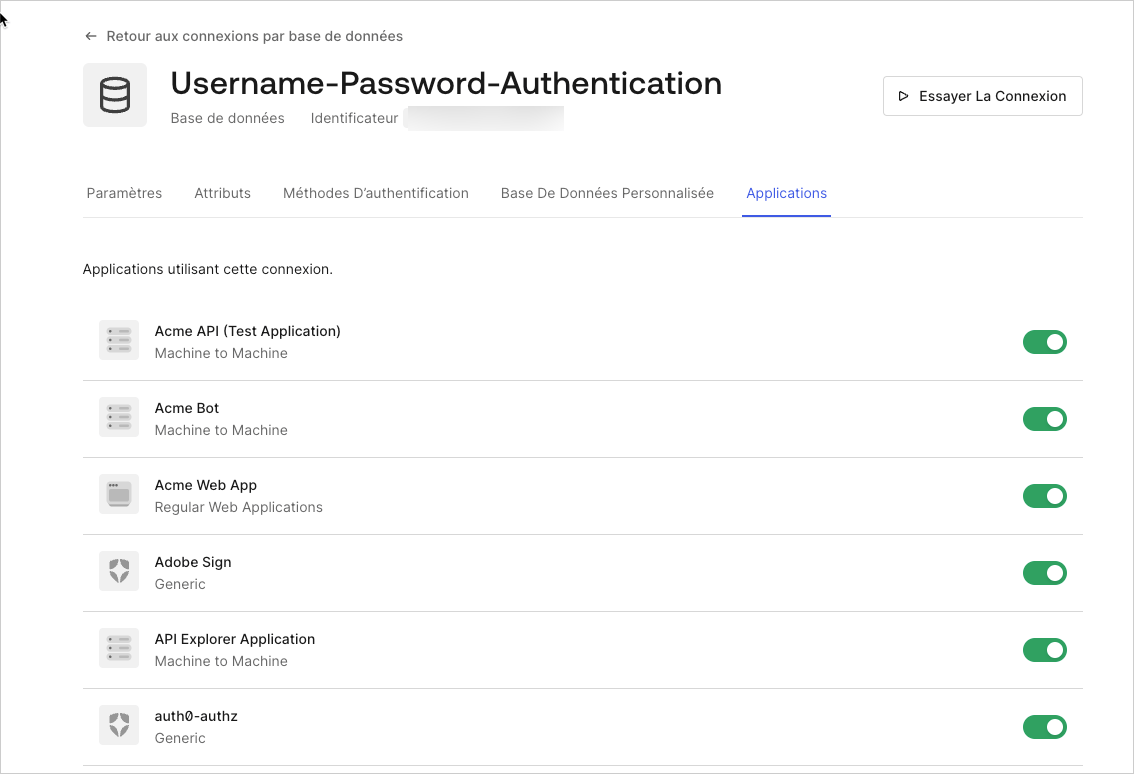
  Sélectionner l’aperçu **Applications**, activez le commutateur pour chaque application Auth0 capable d’utiliser cette connexion.
  <Frame>
    <img src="https://mintcdn.com/docs-staging-actions-triggers-prototype/mp9CuBD30s5j0ucS/docs/images/fr-ca/cdy7uua7fh8z/Kjd9GRzWgHJis31lQVJlW/0f3e9bc876268d72471ce21c3696ac58/2025-02-26_14-42-36.png?fit=max&auto=format&n=mp9CuBD30s5j0ucS&q=85&s=61da142c4ab8acc31195365fc16c4af2" alt="Tableau de bord - Connexion - Base de données - Éditer - Voir les applications" width="1134" height="774" data-path="docs/images/fr-ca/cdy7uua7fh8z/Kjd9GRzWgHJis31lQVJlW/0f3e9bc876268d72471ce21c3696ac58/2025-02-26_14-42-36.png" />
  </Frame>
</Accordion>

## En savoir plus

* [Test des connexions de base de données](/docs/fr-ca/get-started/applications/test-database-connections)
